The Wednesday HodgePodge (October 18, 2023)

Hi everyone. It’s Wednesday once again, so time for the Wednesday HodgePodge. Here goes.

1. What’s something small you tend to sweat even though you know you shouldn’t?
Hmmm, I tend to get nervous and frustrated about a lot of things that are probably minor to others, but to say they’re things I “shouldn’t” sweat, feels a bit invalidating. I mean, I could choose the situation where staff randomly switch up who is going to support me and as a result a staff I didn’t expect shows up in my room. This often feels minor to the staff, but honestly I think they don’t know what it’d be like to depend on an almost countless number of random staff for your everyday needs.

2. October 17th is National Pasta Day…do you like pasta? What’s your favorite? Cooked at home or eaten in your favorite Italian restaurant? How often do you make/eat pasta?
I love pasta. My favorite is either penne pesto or macaroni Bolognese. I know, in the U.S. it’s spaghetti Bolognese but even that isn’t originally Italian, as it’s a combo of Naples’ spaghetti and Bolognese sauce. The way I understand it, in Bologna they eat their recipe only with tagliatelle.

I enjoy my pasta mostly home-cooked. At my old care home, we’d get home-cooked meals on weekends, which was awesome. Here, we get meal delivery service meals each day, but I already agreed with one of the staff that I’ll be helping her cook macaroni Bolognese on the 28th.

3. Do you consider yourself a spontaneous person? Explain.
No, not at all. And usually when I try to do something spontaneously, it means I’ve forgotten something else and I end up majorly messing up.

4. Who are some of your heroes? Tell us why.
Do people who are no longer alive count? In that case, my paternal grandmother, of course. Some of the autistic activist pioneers, like Mel Baggs and Cal Montgomery too. I admire their work in standing up for their and all of our rights to an actually meaningful life.

5. Let’s wrap it up with something light…Taylor Swift…are you a fan? On a scale of 1-10 how much so? (1=who’s Taylor?, 10=a true Swiftie, seen her in concert more than once). If you’re a fan what’s your favorite T. Swift song?
Uhm, 2 I guess. I’ve heard of her. I’m not a fan, but it’s not about her. The thing is, I’m not a pop music fan at all. In fact, I rarely listen to music except for soothing instrumental music when trying to fall asleep. I honestly couldn’t name any of Taylor Swift’s songs if I had to.

6. Insert your own random thought here.
I want to give a shout out to the app Be My Eyes and its AI-based image description component Be My AI. Until this was introduced several weeks ago, all we blind people had were Seeing AI, Envision AI and some other apps that did rather generic image descriptions. Be My AI, on the other hand, does a rather detailed description of images. I can’t copy an image description here because for some stupid reason I can’t get it to write its descriptions in English, but let me just say it’s great.

Lovin’ Lately (July 28, 2023)

Hi everyone. It’s time for me to share some of the things I discovered or bought recently that I’ve loved once again. I’m joining Friday Favorites.

1. iOS 16.6. Well, honestly, nothing’s new, but at least a long-standing accessibility bug that had been annoying me for months finally got resolved. Since iOS 16.5, which came out in early May I believe, for whatever reason, the panning buttons on my Braille display, which allow me to scroll, froze in all book-related apps after the first page, allowing me to read only one page and then have to turn VoiceOver off and back on. This made reading on my iPhone basically impossible. So, no shiny new features but yay, I can read again!

2. Books. This brings me to my second favorite thing. Since I can finally read on my iPhone again, I have been doing so a lot. I am currently reading Silenced, Rosie Lewis’ latest foster care memoir.

3. My new blender. I finally took the plunge and ordered a blender off Bol.com last week. I have only made two smoothies with it so far, but it’s good nonetheless. It is a power blender, but not by a high-end brand, because I just don’t have the money for that. Being able to read on my iPhone again, also meant being able to use the collections of smoothie recipes I have on there again.

4. The Water Reminder app for my iPhone. I have had it on my phone several times, but it’s probably Chinese and I at one point deleted all the Chinese-owned apps off my phone for fear of being spied on. Then again, my old headphones that I used with my computer, were a Chinese brand too, so what’s the point? Today, when I looked at the Water Reminder app, I discovered that there are far more drink types you can add than I previously thought. I was looking for “smoothie”, and yay, it’s in there.

5. The Celtic Relaxation Music playlist by SWake on Spotify. I discovered it while searching for Celtic instrumental music playlists. Though Spotify’s own Celtic Instrumental playlist is good too, this one is better.

What have you been lovin’ lately?

Goodbye to Yet Another Social Networking Site? #SoCS

Today’s prompt for Stream of Consciousness Saturday (#SoCS) is “site/sight”. I was immediately reminded of the Reddit blackout. For those not on Reddit, this was started in the blindness subreddit (or so I believe) as a protest to third-party apps to access Reddit being charged enormous fees in order to use Reddit’s API. This would, or so I’m led to believe, essentially render third-party Reddit clients unable to continue as of July 1.

What does blindness or sight have to do with this? Well, the Reddit app is particularly inaccessible with VoiceOver, unlike some third-party apps. While the Reddit site is slightly more useable than its mobile app, it’s still not fully accessible. The fact that third-party apps will most likely be going out of business as of July 1, means that those without sight will no longer be able to access the Reddit app.

While R/Blind is back online, many subreddits are protesting indefinitely by having gone private and disabled posting. This gives me the idea that more is at stake than just the blind community.

I joined Reddit less than three months ago, but I’m pretty sure I’ll have to let go of yet another social networking platform. Oh wait, I can technically still use Twitter and Instagram and Facebook, the latter of which I do still use for its groups, but I prefer not to. I’m glad I still have WordPress, although I wonder for how long.

Reading Wrap-Up (August 1, 2022) #IMWAYR

Hi everyone. I finally seem to be getting back into a reading groove again. Let me share what I’ve been up to in the book department. As usual, I’m joining in with It’s Monday! What Are You Reading?.

What I’m Currently Reading

I just started reading Six Weeks to Live by Catherine McKenzie last night. I think I discovered it on BookBub, but I downloaded it off Bookshare rather than buying it on Apple Books or Amazon. The blurb really interested me and, so far, the short chapters and alternating viewpoints, really add to its appeal.

In addition, I finally picked up The Choices We Make by Karma Brown again. I find it surprising I still remember the plot to a degree, given how long I’ve taken to read it thus far.

What I Recently Finished Reading

Only one book and it was one I haven’t mentioned in a reading wrap-up before. Can you see how long it’s been since I’ve done one of these? Yesterday, I finished The Words We Keep by Erin Stewart. I loved the book, but won’t say much more, since I’m planning on writing a review soon. It did get me thinking I really want to find a better book tracking app than GoodReads though. I tried StoryGraph, but that app doesn’t have the default iOS app layout I’m used to and is really hard to work.

What I Think I’ll Read Next

I still have a ton of books I may or may not want to get to. One function I wish GoodReads had, is a Did-Not-Finish shelf. I know you can create one, but it would be so much easier if it were there by default. That way, I could shelf away books I may want to list as having read but that I just don’t find the time for to finish at this point. As it is, these are on my Currently-Reading shelf, which is rapidly clogging up. After the Cure by Deirdre Gould has probably been on it for two years.

Then there is my ever-growing list of books I may want to read someday. I have a ton of romance novels, mysteries and other “easy” adult reading that I downloaded for free off Apple Books or Amazon.

Then there’s kidlit. When my husband paid for the renewal of my Bookshare subscription last June, he noticed I’d been downloading books on unicorns a lot. These are children’s books, of course. Indeed, during the month of June, I read a few books about unicorns, namely the first book in the Unicorn University series by Daisy Sunshine and the first book in the Unicorn Diaries Branches Books series. I think when Six Weeks to Live gets too heavy for me, I’ll make a detour to the next installment in one of these series.

What have you been reading?

Things That Made Me Smile (March 14, 2022) #WeeklySmile

Hi all. I’m joining the Weekly Smile today. I don’t promise this will be a weekly feature, of course, but the hashtag is #WeeklySmile. I could really use a bit of cheer today, so I’m going to share some little things that gave me joy lately. Hopefully writing about them will make me smile now too.

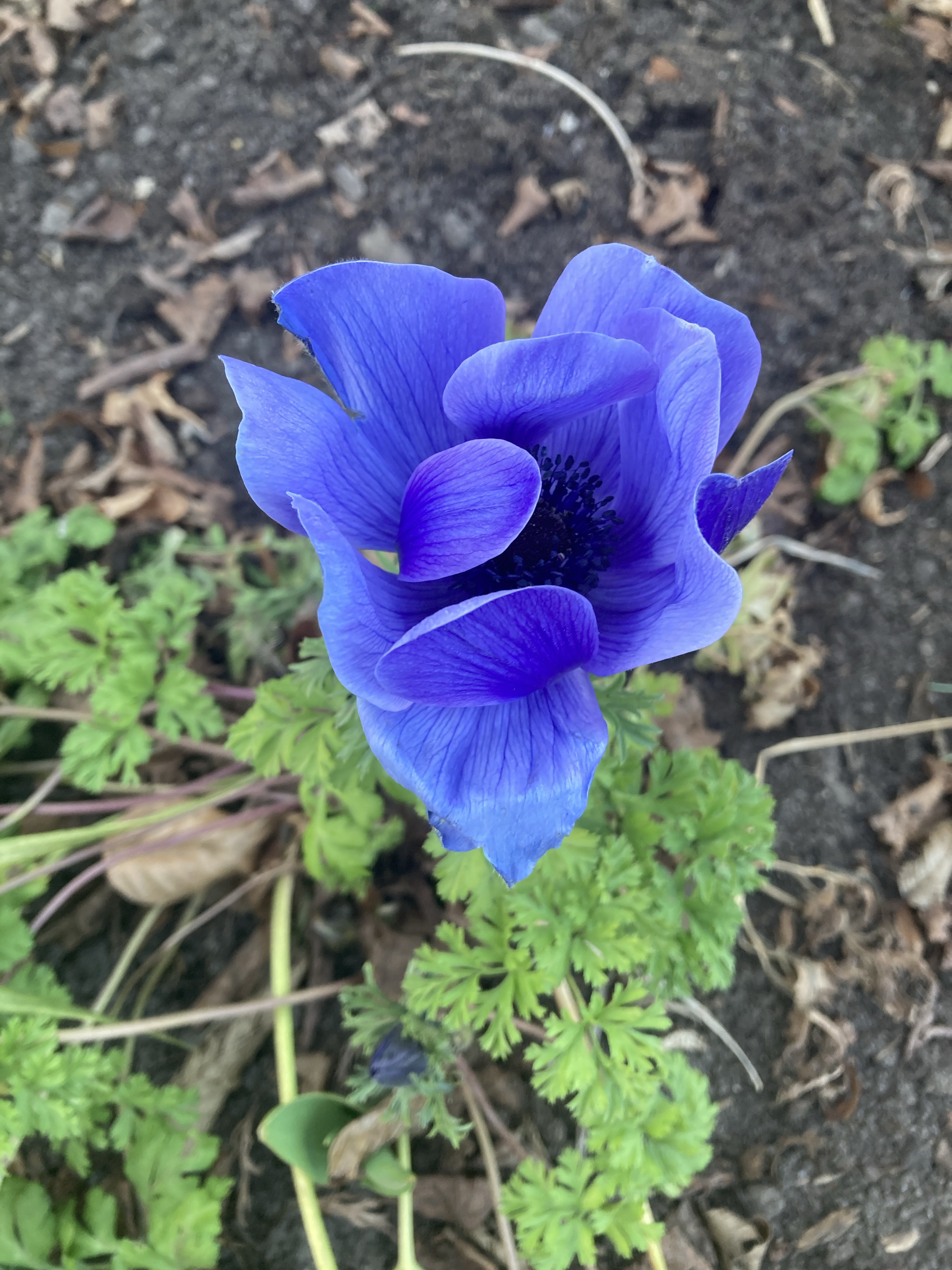
First up are flowers once again. Last Thursday as well as yesterday, I went for a walk and took some pictures of flowers I came across on my way. The below picture is of an anemone we came across yesterday. We initially called it a giant crocus, but I found out it’s an anemone by running the picture through some plant identification apps.

That’s my second little joy: I just love learning about all sorts of different plants and running my pictures through identification apps. I haven’t yet found the perfect plant identification app after having tried out several, but that’s okay.

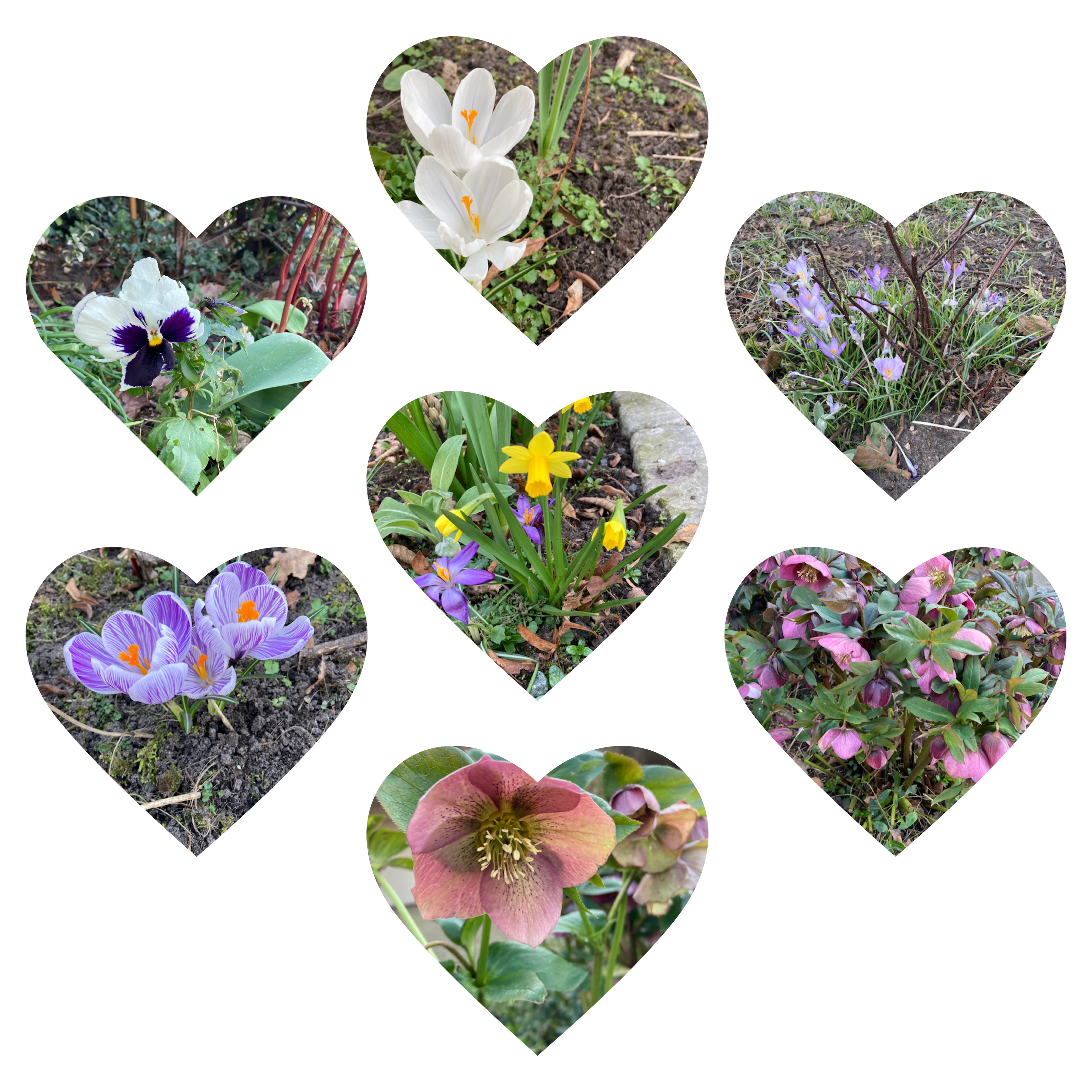
Finally, a thing that’s been making me smile for days: discovering an app that will allow me (with some help) to make collages and mosaics with my photos. The app is called PhotoGrid and, though some parts of the app are free, I decided to try out the premium membership right away and didn’t cancel when my trial period (which admittedly is only three days) was over. The below collage, my staff and I made with most of the photos we’d taken while going for a walk on Thursday. I’m linking this post to Mosaic Monday. Hope I did it right.

One of my staff later suggested I use this collage as my cover photo on Facebook, so I did. I had never had a cover photo before.

It may seem weird that I, being blind, like photography. However, with the image description tools, including now the plant identification apps, on my phone, I think it’s a great way of getting acquainted with my surroundings.

Sunday Ramble: Technology and the Future

Hi all. I’m feeling kind of off today. I’m not sure it’s all in my head or I’m suffering with the early symptoms of a mild case of COVID. I haven’t had another lateral flow test, as I don’t feel worse than I did yesterday – in fact, I feel slightly better. On Tuesday, I’ll have a PCR test, so unless I develop really telling symptoms, none of which I have so far, I’ll wait and see until then.

Anyway, for my blog post today, I’m answering E.M.’s Sunday Ramble questions. Her topic for this week is technology and the future. Here are her questions.

1. Are there any applications on your mobile device, tablets, etc. that you cannot live without? Feel free to ramble about them! Maybe we will learn new apps that will become important in our own lives.
I am going with the more unusual apps here, as I doubt I’ll be inspiring anyone else to download Facebook or a web browser (I use Edge even on my iPhone, by the way) if they haven’t already. Apps I truly love on my iPhone include the diary app Day One. I previously reviewed Diarium, another diary app, but have since gone back to using Day One mostly because it allows me to have multiple diaries.

Other apps include MyNoise, an app that allows users to select soundscapes, the task management app Microsoft To Do and Seeing AI, an app that describes images. It most recently guessed my age in a photo to be 44 though. 😒 Admittedly, I pulled a rather odd face in a forced attempt to smile. And just so you know, no, I’m not going to post the photo here. 🙂

2. Do you prefer Apple or Android?
Apple for sure! It is far more advanced with respect to accessibility for the blind.

3. Windows OS or MacOS?
Windows. I tried a Mac some years ago, thinking it’d be easy to use with my being an iPhone user already, but I couldn’t get used to it. The only advantage of MacOS is that it comes with a built-in screen reader, like iOS. For Windows, you have to buy (or get insurance to pay for) JAWS.

4. What do you wish that you would have placed in a time capsule 15+ years ago to have access to now?
I answered a similar question already on another blog a few weeks back: I’d bring back the disability-related story-sharing websites we had in the early 2000s, like Tell-Us-Your-Story.com. I also would’ve put Diaryland’s diaryrings into the time capsule, but then I’d have hacked the concept and applied it to today’s blogs. Webrings are cool! I think the concept still exists, but hardly anyone participates nowadays.

5. When you think of the what the world will look like 50 years from now, what does that future look like through your eyes? Go as sci-fi and/or fantasy as you would like and ramble on however you wish to ramble When you think of the what the world will look like 50 years from now, what does that future look like through your eyes? Go as sci-fi and/or fantasy as you would like and ramble on however you wish to ramble.
I have absolutely no idea. I did a post on this topic some six years ago on my old blog, but I mostly focused on what my life would be like when I was in my late seventies. I really hope that image description and the like will be very much improved, so that the blind will be able to “see” this way. There already are glasses, such as the Orcam or Envision Glasses, which will describe things a person is looking at. I haven’t tried those, but if they evolve more, and they likely will, I’d love to try those someday.

What do you wish you could’ve put into a time capsule to take with you from 15+ years ago?

App Review: Diarium for Windows 10 and iOS

As regular readers of this blog may know, I’m perpetually looking for an offline diary to keep. The problem doesn’t seem to be the lack of apps available, though I find fault with each of them. Rather, it seems to be the lack of commitment to actually keeping a daily journal.

That being said, I’ve tried a lot of apps. Until very recently, the iOS app Day One was by far my favorite. Now, it seems to have gotten a strong competitor in Diarium.

Diarium was originally developed as a Windows 10 app. This was before I had a Windows 10 computer. At some point roughly three years ago, they however launched the iOS app. It was still far from ideal at the time. If I remember correctly, most buttons weren’t labeled and there was no timeline view.

In the current iOS version, the tabs in the bottom right corner allow you to switch between timeline, calendar, search, map and tags. I really love this.

In the top left corner of the screen is the button to add an entry. This will open a calendar with an ability to pick the date. Diarium, though it does seem to support multiple entries per day, does not automatically include the timestamp. Rather, you have to click a button while typing your entry to insert it. You can also add images (not sure if you can add just one image per entry or multiple), audio or files.

Also in the top left corner are buttons to sync your diary with OneDrive, iCloud Drive, Google Drive, WebDav or Dropbox. This is a paid feature, but the positive about Diarium’s paid plan as opposed to for example Day One’s, is that it’s €5,99 (if I’m correct) and is a one-time purchase rather than the €37,99 per year for Day One. To Day One’s credit, it does offer more features.

I have Diarium on both my iPhone and Windows 10 PC now. At first, I had no clue how to use the Windows 10 app, because it doesn’t work like Word or Notepad or any of the older Windows programs at all. For example, Alt or Shift+F10 doesn’t work to open a menu at all (there doesn’t seem to be a menu). I’m still figuring things out a little, but it seems most buttons at least are clearly labeled. When I tap the button to add an entry though, I have yet to figure out how to get back to my diary without closing and relaunching the entire app.

Diarium allows integration with several services, including your weather app, Twitter, Facebook and Fitbit. I so far only have integration set up with the iPhone’s weather app and Fitbit. I love how that way, my daily step count is included with each day’s entry. Unlike apps like Momento, Diarium as far as I know doesn’t create separate entries for your integrations, but rather includes them on each day’s main entry. This may be both a drawback and an advantage depending on your perspective.

There are two things I find slightly annoying about Diarium. The first is the fact that each entry is auto-titled something like “Dear diary” and auto-formatted to start with “Today I …”. It does look like you can delete or ignore this though. The other thing is the fact that, despite the fact that I turned it off in settings, my entire entries are still shown in the timeline. This might be a bug, so I’m going to contact the developer about this.

Overall, I really like Diarium. If, like me, you’ve been using Day One and would like to migrate, there’s an easy way to do that by exporting your Day One journal into a .Zip file and importing it into Diarium. Some of the preformatted stuff from Day One looks weird in Diarium, but it’s still readable.

A Recent Purchase: Apple AirPods Pro

One of Mama Kat’s writing prompts for this week is to write about a recent purchase. Like I said last week, I was seriously considering getting Apple AirPods Pro once my vacation allowance landed in my bank account. At the time, I had not yet seen the payment details of it, so I was still unsure I’d get it at all, or how much I’d get.

By Monday, my payment details from the benefits authority arrived in my government inbox. I wouldn’t be getting the money until Friday, but on Wednesday, I was so excited I decided to buy the AirPods anyway.

I ordered them from Bol.com at 1PM Wednesday. They gave me the option of selecting to get the AirPods delivered the same evening, so I was like: “Yes please!” Unfortunately, my screen reader wouldn’t let me toggle the button, so I got a staff to do that for me. My brand new Apple AirPods Pro arrived at 6:30PM that evening.

I struggled a little to get the AirPods connected and the medium-sized earmuffs felt uncomfortably large to me even though the fitting test on my iPhone said they fit. Then I struggled to remove the medium earmuffs and replace them with the small ones, but my staff eventually found out how to do this.

The AirPods came with a wireless charging case. As is the norm with current Apple products, they also came with a lightning to USB-c charging cable but no charger. I have an iPhone SE 2020, which still came with a regular USB charger. For this reason, I wondered whether I could charge the case with my iPhone charger or I needed to buy a USB-c charger. It might be faster with that one, but my iPhone’s charger works at least.

It also took me a little figuring out where the force sensor was located and how to use it. Once I figured it out though, it’s really intuitive. It works similar to the home button on my iPhone, really. I wasn’t sure whether I would be able to take incoming calls using just my AirPods, but today I found out I can.

The AirPods Pro have really good noise-canceling, which was one reason I wanted the Pro ones specifically. When I have noise cancellation on, I feel quite well shut off from my surroundings, even when I’m not listening to music. When I do want to hear what’s happening around me, I easily switch to the transparency mode and can hear everything just fine even while still listening to music.

I originally wanted the AirPods so that I can fall asleep while listening to soothing sounds, for example from the myNoise app on my iPhone. That, unfortunately, isn’t working yet, as I haven’t found a way to make the AirPods feel comfortable when I’m trying to sleep. That might be a good thing though, as I have no idea whether the AirPods will really be able to withstand a sleeping me. Overall, however, I really like my new AirPods.

Mama’s Losin’ It

Gratitude List (November 28, 2020) #TToT

Hello everyone. Like I mentioned yesterday, I have not been more grateful than I am now in a long while. Part of the reason is my recent depression, but part is also my increased attitude of gratitude. For this reason, I am trying to make posting about gratitude a weekly habit again. As always, I am linking up with Ten Things of Thankful (#TToT).

1. Quiet dinners in my room. Last week and early in the week, I was very stressed out about needing to eat in the communal room with the other clients. This has been a stressor for me for a long while already. I was given the opportunity to eat in my room if I didn’t cope in the communal room, but was struggling to say I didn’t cope on time. For this reason, me and the staff decided I for now will always have dinner in my room. Yesterday, a staff noted that I eat much slower now.

2. Extra staff. I may’ve mentioned this before, but there is now an extra staff member to support me in the evenings. I am not yet sure how they will cover this financially, but we’ll see. Today, I thought there wouldn’t be an extra staffer, but thankfully there was.

3. Podcasts. I’ve mainly been listening to church services. I am so grateful for my podcast app that enables me to listen to church services from all over the world. Oh and of course also other podcasts, like the Parcast Network originals.

4. The YouVersion Bible app. I have only a three-day streak so far, because I missed one day of Bible reading on Wednesday. I am determined to make this streak much longer though. Right now, I’m on day six of a seven-day devotional on forgiveness.

5. Soaping supplies. My day activities staff ordered 3kg each of white and clear soap base as well as a few micas (powdered colorants). She already ordered them early last week, but they finally arrived last Thursday. In addition, my husband brought my Christmas tree soap mold. I am really looking forward to soaping again.

6. Cake decorating. In addition to the extra staff in the evenings, there’s an extra staff in the morning on week-ends. The one who had this shift today, asked me earlier in the week whether I’d like to decorate cupcakes with her today. We ended up using regular slices of cake, not cupcakes, because these are easier to decorate. I loved it.

7. Beautiful skies and sunsets. I regret not having taken a photo of the pink sky we had on Monday. I didn’t really see it, but did see some and loved the staff’s description. Also, on Sunday, I saw the sunset. This was really cool.

8. Eating lunch in the car. My husband came by this afternoon to take me out to lunch. Since all restaurants and such are closed due to COVID, we drove to a Subway drive-through. We each had a chicken teriyaki wrap. It was delicious!

9. Homemade wraps. Okay, they weren’t as good as the Subway chicken teriyaki one, but they were good too. We made wraps with chicken and lettuce on Monday and, because we had some wraps still left over, made some more with minced meat and beans on Thursday.

10. Good talks with my husband. He keeps me interested with his knowledge of theology in particular.

What have you been grateful for lately?

Journal #SoCS

SoCS Badge 2019-2020

Journaling is one of my favorite activities. That being said, I’ve taken forever to find the right means of doing it. I tried a regular Word document, at least twenty apps on my iPhone and a couple on my PC too. In fact, at one point I spent $100 on an app that didn’t even work.

I currently use an app called Day One on my iPhone. It’s not perfect, but it’s the best I can get so far. That is, at one point there was an app called Dyrii that was better, but they went into maintenance mode and at the last update, messed things up pretty bad.

In addition to journaling, I love to collect journaling prompts. I probably have about twenty collections of journaling prompts in my various book apps and on my PC. I don’t use prompts as much as I’d like, but just the thought of having them at hand is helpful. It may be a kind of autistic perseveration, but oh well.

In Day One, I have four different journals righ tnow. One is a general journal that I rarely update. The second is specifically for my alters to journal their thoughts. The third is a prompt-based journal and the fourth is a gratitude journal.

Just yesterday, I thought of starting another one, specifically for chronicling my recovery from compulsive overeating. I also may want to start a quote-based journal. I so far decided against either of these, but Day One allows unlimited journals if you have the Premium version. Which I’ve had a couple of times but each time deactivated again. I’m pretty sure I’ll keep the Premium subscription now though.

This post was written for #SoCS, for which the prompt today is “Jour”.