Hi everyone. It’s nearly 11PM as I type this and I originally didn’t intend on writing a blog post today. Then, however, I learned that WordPress is intending on phasing out the classic editor (thanks Di for the heads-up) I almost exclusively use the classic editor, so I’m, well, quite a bit upset. Now I’m having to learn not only to write blog posts without using my Braille display, but also in the dreaded block editor. I could turn this into a challenge though and see what I can still do. For this reason, I’m writing a post in the block editor. And to make it extra challenging, I’m writing a crafty post, so that I’ll have to include images.
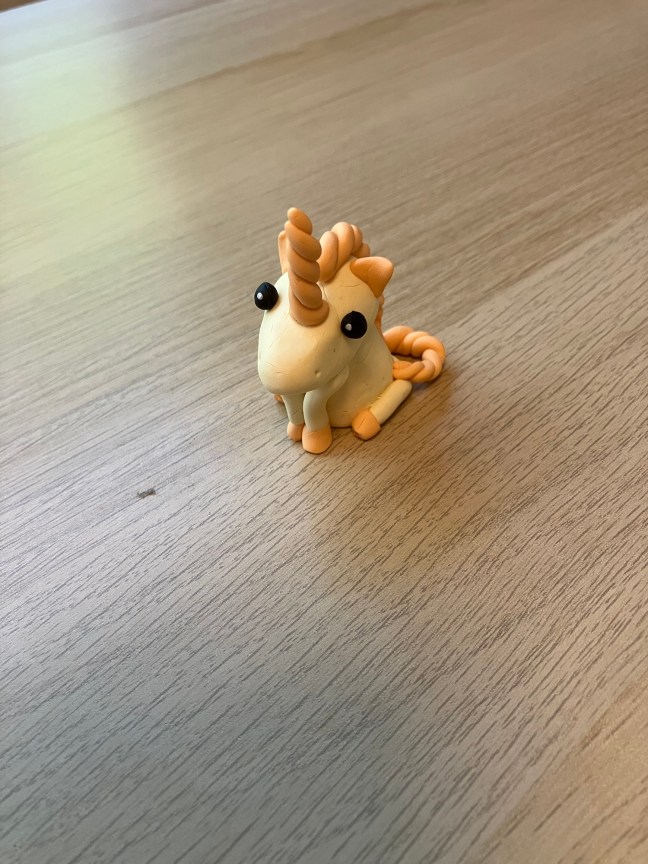
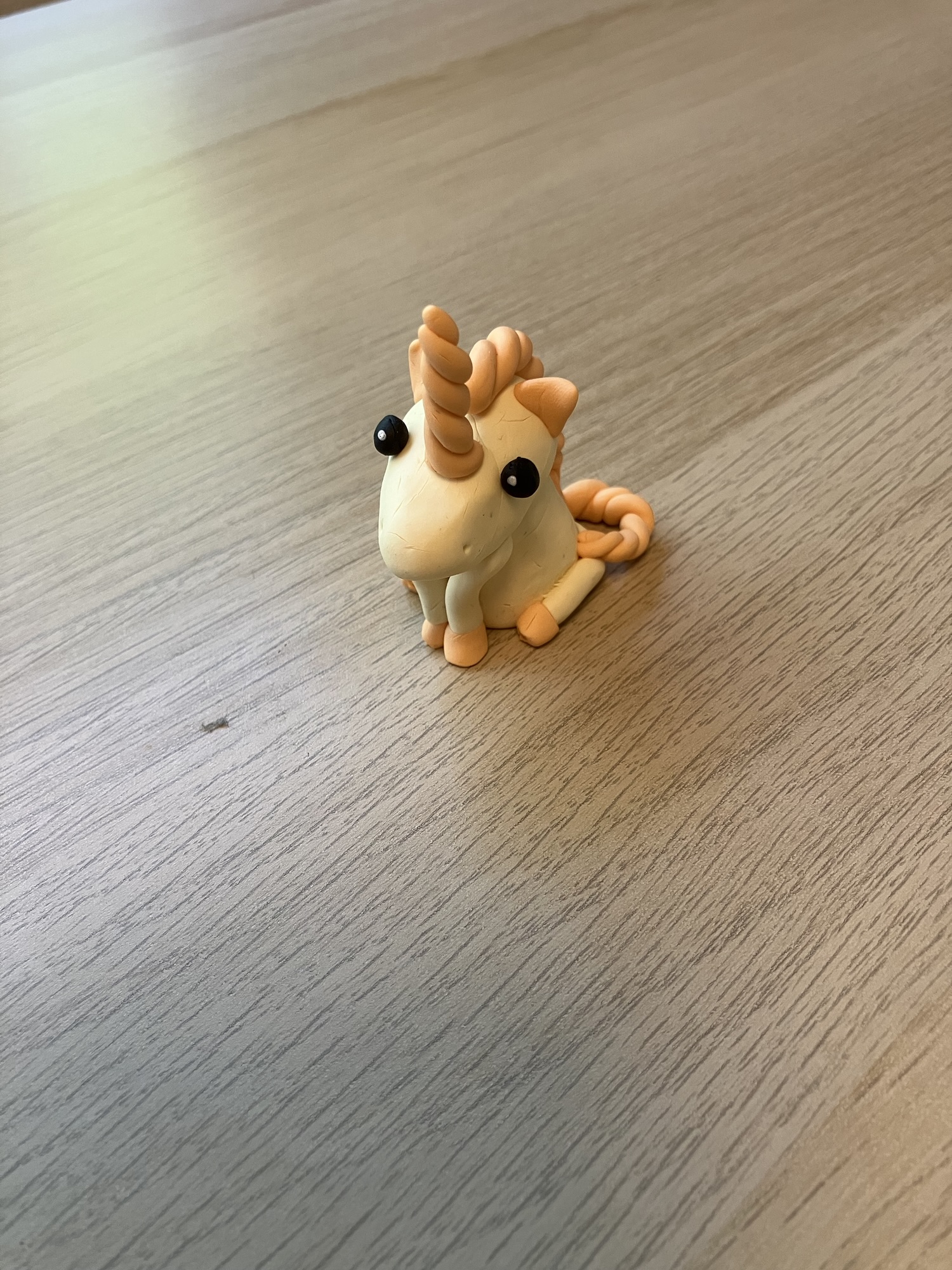
In truth, I haven’t been all that crafty lately. However, last week, a new staff was being oriented to me. The regular staff accompanying her is a great crafter, so I made use of this fact and decided to do polymer clay again. I started out making a unicorn. It’s the same style I usually use, but I did get compliments on the color combination, which I chose. The body is done using Fimo Soft in the color pastel vanilla and the horn, mane and tail are done using Fimo soft in the color pastel peach. The unicorn has a decorative flower on its side in the color pastel light pink, but I don’t think the picture captures it.
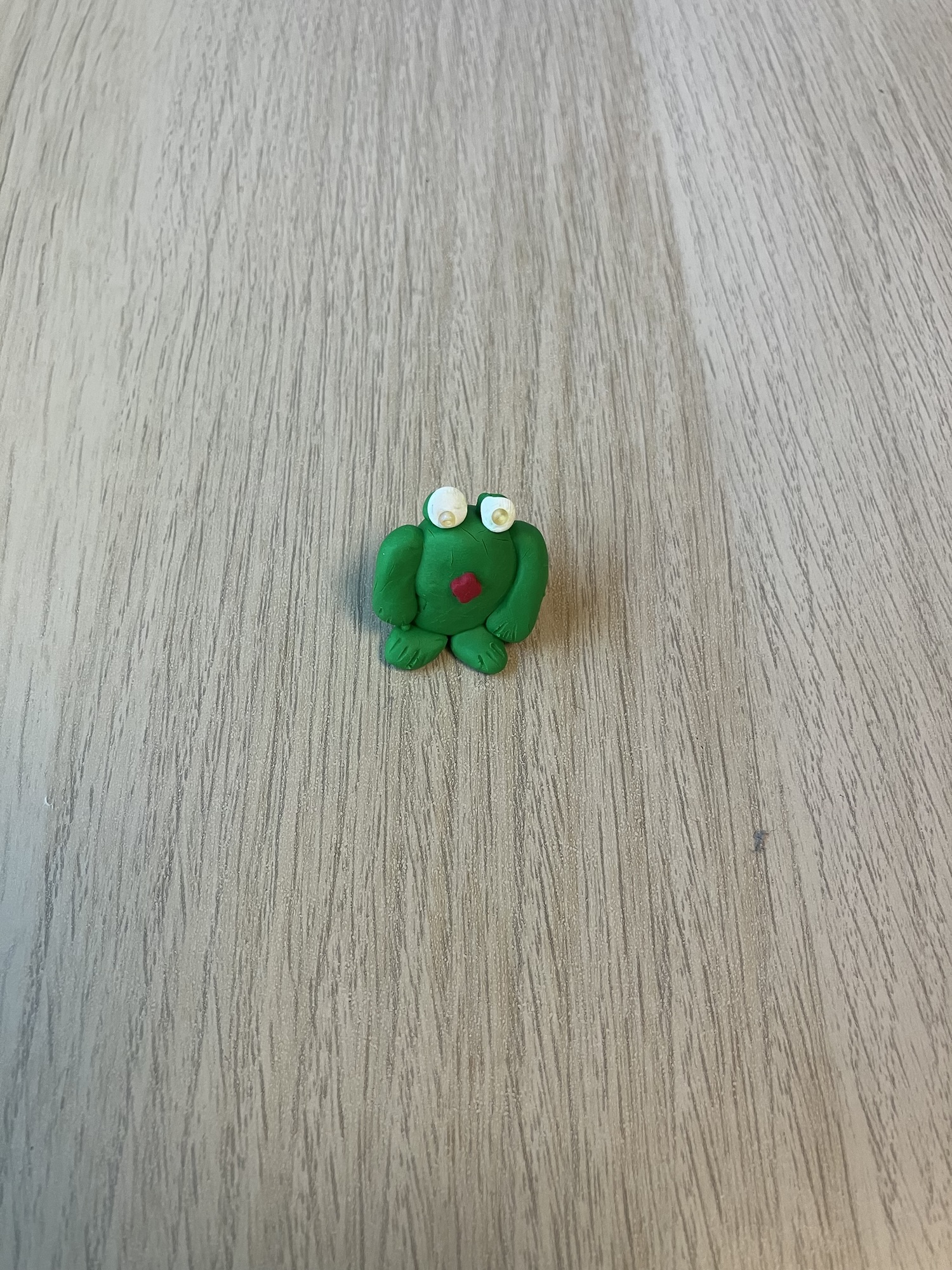
This unicorn, I did mostly with help from the regular staff while the new one was watching. Then, I made another little sculpture together with the new staff. I wasn’t too inspired, so chose the “cheer up frog”. For those who don’t know, I make frog figures for people who need a little cheering because they’re on sick leave or for another reason could use a little reminder of the good things in life. The Dutch word for “cheer up” is derived from the Dutch word for “frog”.
I added a decorative clover figure to its belly, but in hindsight could’ve gone with a larger size. My best friend also commented that the standard tropical green gets a little boring. One thing I did to challenge myself is to add seed beads to the eyes rather than my standard black dots.
I thoroughly enjoyed working with polymer clay. However, now that I’m sharing these on the blog, I’m struggling to put the blocks in the right order. Ugh, this is definitely a learning curve! And now it’s past midnight, so I’ll have to figure out whether I want to publish this post on Monday or change the publication date. And by the way, it looks like the images are somehow hidden behind my text. This definitely sucks!
 A Multitude of Musings
I love your unicorn! Thanks for the nod. I can’t find anything else about it, so have no idea about a timeframe. I just noticed it and thought I’d pass it on.
LikeLiked by 1 person
Thanks so much for stopping by. I honestly think the block editor is a nuisance.
LikeLiked by 1 person
I don’t like it.
LikeLiked by 1 person
All the images are in the correct order when I view it!
LikeLiked by 1 person
Thanks. What I meant though is that initially the frog image was placed below all the text and I couldn’t add any more paragraph blocks. That got sorted but it still looks like I misaligned the images (which I have no clue how to solve).
LikeLike
Astrid:
I know the misalignment happens in other places, like MediaWiki-influenced websites.
{In that world: images run/are embedded with paragraphs and in boxes}
And in word processors like Pages when there are different modes.
{and again this has changed a lot since 2016 and 2026}.
I dare not look in Substack – and that I am in the “wrong” browser anyway.
{when last I did experiment with images or the concept of installing and embedding images – only in draft/dashboard mode! – and only with other people’s work – it seemed fairly intuitive}
And I never did try in Medium – not even with comments where a meme might have conveyed my reaction or feelings as well
{this is fairly similar with mobiles and “Happy birthday” / “Thank you” / Bitmoji people and animals and objects}.
Also I remember using a site called Bitlanders which involved images and videos {oh my!} of protruding Murray codfishes.
Have not installed an image in WordPress in so long – though I do observe when other people do it!
[and I “check behind the hood” – that is; I use source tags].
The thing about Blogger/Blogspot and its modes [HTML mode and visual mode]…
How is the “move up” and “move down” going?
Glad you were able to put the frog above the texts to which it belongs.
{It might be fun to make a red frog with a green tongue}.
The seed beads are fabulous!
How are you going with naming the images? [2075 and 2076 are impressive].
Ah, changing the publication date!
{I did do this once – or several times – when I purposefully wanted to schedule a post and I would not be able to do it in vivo}.
This version of Cheer Up Frog has an assertive posture and feels like it is ready to give someone a hug/an embrace.
[also I think its right front limb is its dominant limb? Do not know very much about frogs/amphibians and their limb preferences!]
For the unicorn:
peach/vanilla/light pink flower are great!
LikeLiked by 1 person
Thanks for commenting. Yes, I do know that incorrectly aligned images happen everywhere. I mean, the reason I found out is that my screen reader’s built-in image description tool said it had problems describing the images because they were somehow cut off by the edge of the window. I’ve seen that error many times, but it’s annoying that I’m now seeing it on my own blog. By the way, I didn’t name the images myself; those are just the file names on my iPhone.
LikeLike
Everything on your blog looks right.
I use the block editor. But I think I saw jetpack can let you use classic. I’m on my phone now and can’t look it up.
LikeLiked by 1 person
Thanks so very much! On PC, I can still use the classic editor indeed.
LikeLike
Hi Kristin!
Jetpack is an extension to the WordPress ecosystem, yes?
I mostly use my phone to look things up when the house computers will not work [for example, when they are trying to process tabs and windows].
[and then I remembered that LiveJournal would use lots of different clients where diverse approaches would be used in regard, for example, to images]
[finding the client interface in the bottom right hand corner for instance].
LikeLiked by 1 person
Eek! Good luck with getting the hang of the new changes that are coming in WordPress. This post looks good to me! The unicorn and the frog look fab!
LikeLiked by 1 person
Thanks so much for the compliment on my crafts. I’ll get used to the block editor eventually, I hope.
LikeLike
the block editor is a flippin nightmare! I’m glad I use email to post my blog posts!
LikeLiked by 1 person
Oh you do? I could never figure that out…
LikeLike